Master iPad Calligraphy in Procreate: The Ultimate Brush Guide
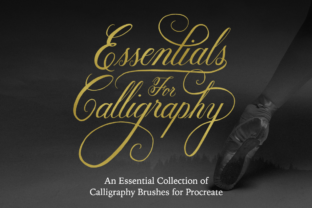
There's a certain magic in seeing a skilled calligrapher at work—the fluid motion of the hand, the beautiful contrast between thick and thin strokes, the elegant flow of ink onto paper. For a long time, replicating that authentic feel digitally was a challenge. Generic brushes often felt sterile, lacking the responsive pressure sensitivity that gives traditional calligraphy its soul. This is where a dedicated set of iPad Calligraphy Brushes for Procreate changes everything. Designed exclusively for the Procreate app on an iPad with a pressure-sensitive stylus like the Apple Pencil, this collection isn't just another set of digital tools; it's a bridge to authentic, expressive lettering right on your screen.
What makes this particular set stand out is its thoughtful curation. You're not getting a chaotic library of hundreds of options. Instead, you receive a focused toolkit of five distinct calligraphy styles, each engineered to perform a specific task with precision. From the timeless grace of a Copperplate/Formal Script brush to the energetic bounce of a Modern/Casual Script, the personality of each brush is immediately apparent. The Brush Script Smooth option provides clean, crisp edges perfect for polished logos and invitations, while its Brush Script Textured counterpart introduces a gritty, organic finish that adds depth and character to social media graphics or poster designs. Completing the core set is a Monoline Brush, which maintains a perfectly even stroke thickness—ideal for creating elegant sans-serif letterforms or clean underlines.
More Than Just Brushes: Your Built-In Design Framework
A truly helpful design asset does more than just look good; it guides your process. This is where the included guideline brushes become an indispensable part of your creative workflow. Instead of manually drawing straight lines or calculating angles, you simply stamp one of the nine guideline brushes onto your canvas. Each is tailored to a specific style, providing the perfect skeleton for your lettering.
- 55-degree Angle Guidelines: The classic foundation for formal script styles like Copperplate, ensuring consistent slant and elegant flow.
- Straight Guidelines (Middle, Tall, Divided): Perfect for modern, casual scripts and even serif or sans-serif lettering, helping you maintain uniform x-height and baseline consistency.
- 45 & 60-degree Angle Guidelines: Essential for achieving the dynamic, energetic slant characteristic of contemporary brush script lettering.
- Horizontal Lines & Dot Grid: The ultimate versatile tools for any project, providing subtle structure for freeform layouts, hand-lettered paragraphs, or precise alignment.
This combination of specialized brushes and structural guides empowers you to move from concept to polished piece with confidence. The guidelines ensure your work has professional consistency, while the pressure-sensitive settings on the calligraphy brushes (except the monoline) allow for that satisfying, natural variation in stroke width that viewers instinctively recognize as authentic.
Practical Applications: From Brand Identity to Personal Projects
The versatility of this iPad Calligraphy Brushes for Procreate set makes it a valuable asset across countless domains. Its strength lies in its ability to adapt to both professional and personal creative needs.
For Branding and Marketing Professionals
A custom calligraphic wordmark can instantly set a brand apart. Use the Formal Script Brush to craft a sophisticated logo for a boutique hotel or luxury product. Pair it with a clean sans-serif font for a balanced, modern brand identity. The textured brush script is fantastic for creating eye-catching headlines for blog graphics, email banners, or social media posts that need a handmade, authentic feel. For entrepreneurs and small business owners, this toolkit allows you to create high-quality design assets in-house, ensuring brand consistency across your packaging design, web design, and print materials without constant outsourcing.
For Content Creators and Publishers
In editorial design, a well-placed calligraphic element can break up text, highlight key quotes, and add visual hierarchy to a magazine layout or a book cover. The monoline brush is particularly useful for creating elegant drop caps or stylized pull quotes that remain highly readable. Bloggers and publishers can use these brushes to design unique featured images, chapter headings, or even entire hand-lettered articles for a special series, adding a layer of personality that digital fonts can't replicate.
For Crafters, Hobbyists, and Personal Projects
The joy of creating is at the heart of this tool. Design personalized greeting cards, wedding invitations, or custom art prints for your home. Create stunning lettering for your hobby journal, planner, or scrapbook. The immediate feedback of the pressure-sensitive brushes makes the act of lettering itself a rewarding, meditative practice. Because it's a commercial font license, you can even sell the digital prints or physical products you create, turning your passion into a small business.
Making the Most of Your Toolkit: A Practical Approach
To truly integrate these brushes into your workflow, consider these practical tips. First, always start with the guidelines. Stamp your chosen guideline on a layer, then create a new layer above it for your lettering. This keeps your structure separate and allows for easy adjustments. Second, experiment with font pairing. A bold, textured brush script headline pairs beautifully with a simple, geometric sans-serif body text. This contrast creates a clear visual hierarchy and enhances readability.
When evaluating project fit, consider the message and audience. The formal script conveys tradition, elegance, and authority—perfect for financial firms or formal events. The modern, bouncy script feels friendly, approachable, and contemporary—ideal for lifestyle brands or children's products. Always test your lettering at the intended size; what looks magnificent on your iPad screen might need slight adjustments for a small social media icon versus a large-format poster.
Remember, these are Procreate brushes, not a traditional font file. They will not work in Photoshop, Illustrator, or other graphic applications. This specialization is their greatest strength. By being built exclusively for the Procreate and iPad ecosystem, they leverage the full power of Apple's pressure-sensitive technology, offering a level of control and realism that generic brushes cannot match. It's a premium design asset crafted for a specific, powerful creative environment, ensuring that every stroke you make feels intentional and alive.